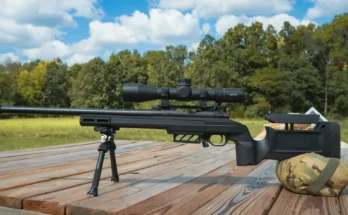
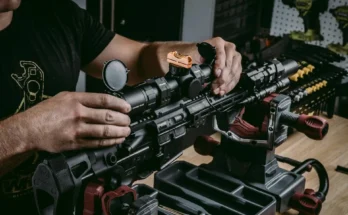
What does MIL mean on a rifle scope? It stands for milliradian, an angular unit of measurement that tells you how far each turret click moves your point of impact. If you don't understand it, you'll dial wrong and miss everything you aim at.
The math is straightforward. 1 MIL equals 3.6 inches at 100 yards, or 10 centimeters at 100 meters. Modern tactical scopes almost universally use 0.1 MIL clicks on their turrets, meaning each click moves the point of impact 1 millimeter at 100 meters. Let's break down exactly how MIL works and where it shows up on your scope.
Quick Answer
MIL on a rifle scope means milliradian. It is an angular unit of measurement. 1 MIL equals 3.6 inches at 100 yards. Most tactical turrets have 0.1 MIL clicks per adjustment.
Mixing it with MOA causes missed shots and unsafe results.
Why Getting MIL Wrong Can Put You and Others at Risk
A missed shot is not just a disappointing range day. When you're hunting and your scope adjustments are wrong, you can wound an animal instead of taking a clean ethical shot. On a firing range, a dial error can send rounds into areas you didn't intend to hit.
MIL is not a complicated concept once you understand it. The risk comes from confusion. Many new shooters buy a MIL-based scope without realizing it, then dial in MOA-style holdovers from a ballistic app.
They wonder why their shots are wildly off. Per manufacturer specifications from companies like Vortex Optics, MIL and MOA are the two dominant turret systems in the shooting world. They don't mix well.
The stakes go beyond one bad range trip. Competitive shooters running precision rifle matches lose points when their math is wrong. Hunters pass on shots they should take because they don't trust their adjustments.
Inexperienced shooters who skip verification before heading into the field can end up in genuinely unsafe situations.
Getting MIL right matters. It's one of those foundational skills that makes everything else about precision shooting easier.
What MIL Means: The Simple Explanation
MIL stands for milliradian. A milliradian is an angular measurement, not a linear one. Think of it this way: if you divide a full circle into 6,283 equal parts, each part is one milliradian.
The reason shooters care about it is simple. A milliradian is a consistent angular unit. One MIL always subtends the same physical space regardless of how far away you are.
At 100 yards, 1 MIL covers 3.6 inches. At 200 yards, it covers 7.2 inches. At 1,000 yards, it covers 36 inches.
This scaling property is what makes MIL useful for scope adjustments and range estimation. If you know the size of your target and how many MILs it subtends on your reticle, you can estimate the distance without a laser rangefinder.
Where does the term show up? On scope boxes, on turret markings, and in reticle designations like MIL-DOT or MIL-DASH. It appears in ballistic apps and range cards too.
Every time you see "mrad" or "MIL" next to a turret click value, that's the system in use.
One thing worth clarifying: "MIL" and "MRAD" mean the same thing. Different manufacturers use different labels. Nightforce Optics writes "mrad" on their turrets.
Other brands use "MIL." The math is identical.
How MIL Shows Up on Your Scope: Turrets, Reticles, and Click Values
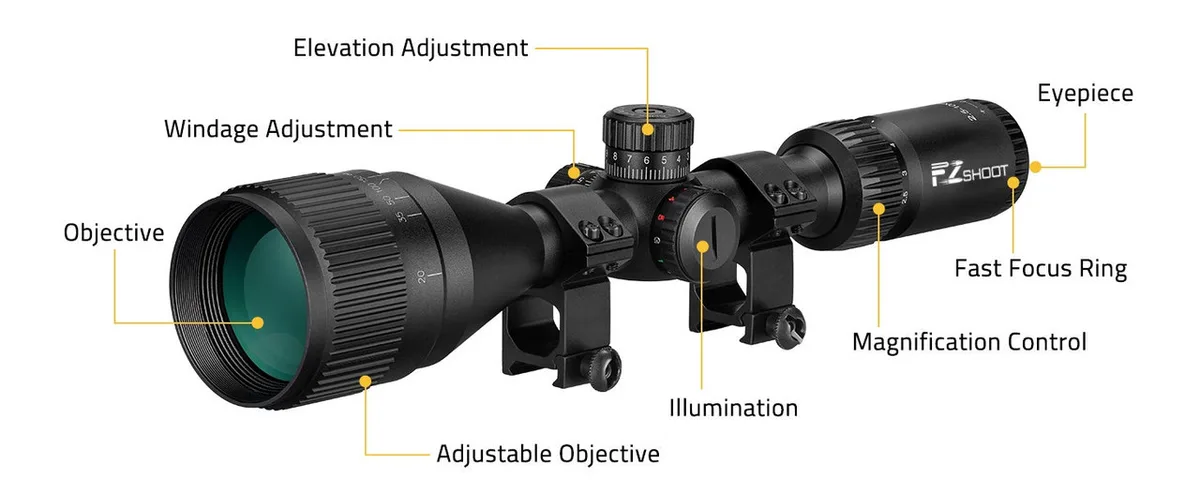
MIL shows up on a scope in three main places. Understanding each one separately saves you a lot of confusion at the range.
MIL-DOT, MIL-DASH, MIL-CROSS: Same Unit, Different Visuals
The MIL-DOT reticle is the most common. It uses small dots spaced at regular MIL intervals, typically 1 MIL or 2 MIL apart. MIL-DASH replaces the dots with short dashes.
MIL-CROSS uses a cross pattern. All three measure the same thing. They just look different through the eyepiece.
Turret Click Values
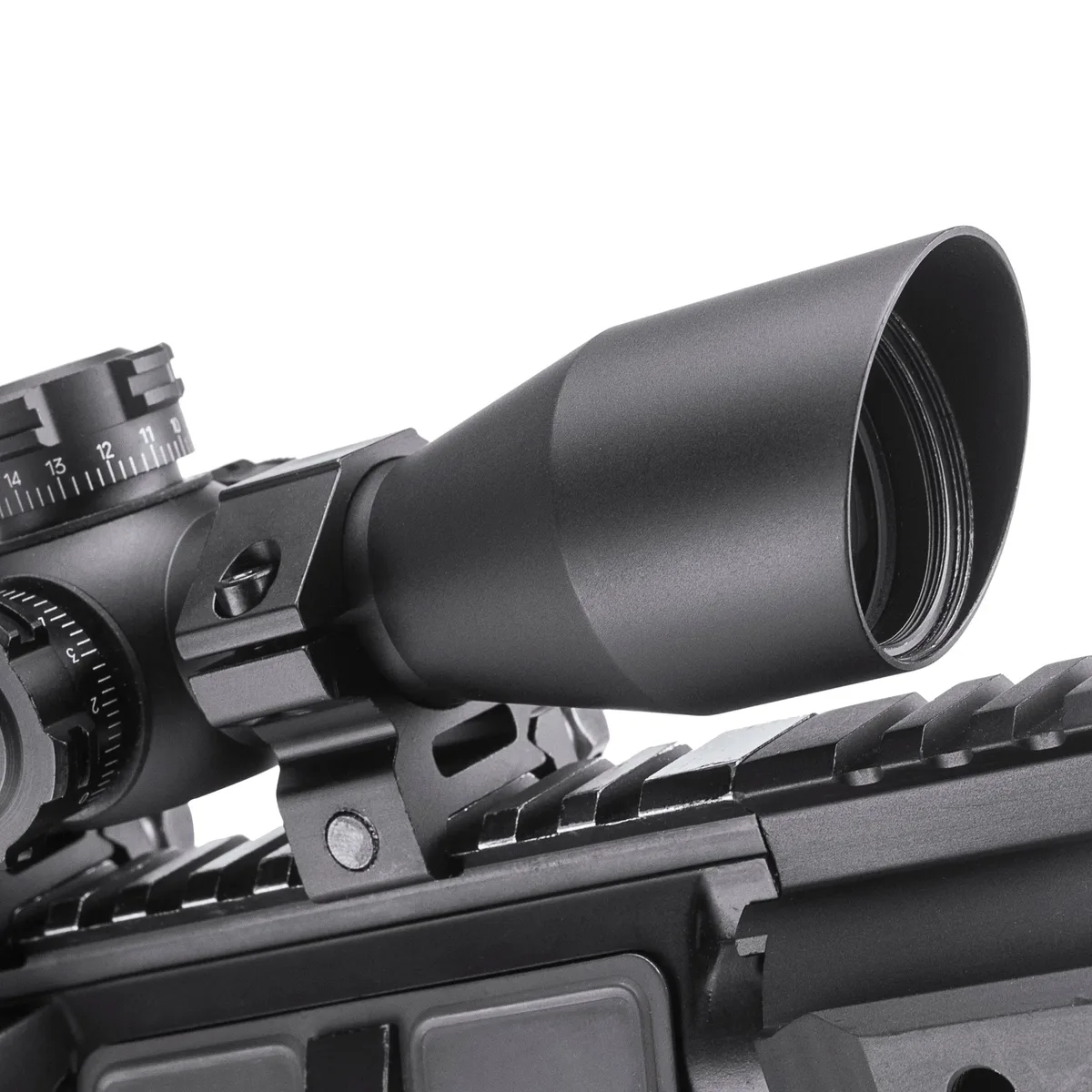
Most modern tactical scopes use 0.1 MIL per click. That means 10 clicks equals 1 full MIL. Some budget scopes use 0.2 MIL clicks, which is coarser.
Always check the turret markings or your scope manual before you start dialing.
First Focal Plane vs Second Focal Plane
First focal plane (FFP) scopes keep reticle subtensions accurate at every magnification. Second focal plane (SFP) scopes only have correct spacing at one specific magnification, usually maximum. This is a big deal because MIL holdovers from your reticle will be wrong on an SFP scope at lower settings.
Check your scope's specifications. The manufacturer will list the turret click value and whether the reticle is FFP or SFP. Knowing both tells you exactly how to dial and how to hold.
MIL vs MOA: Why Mixing Them Causes Missed Shots
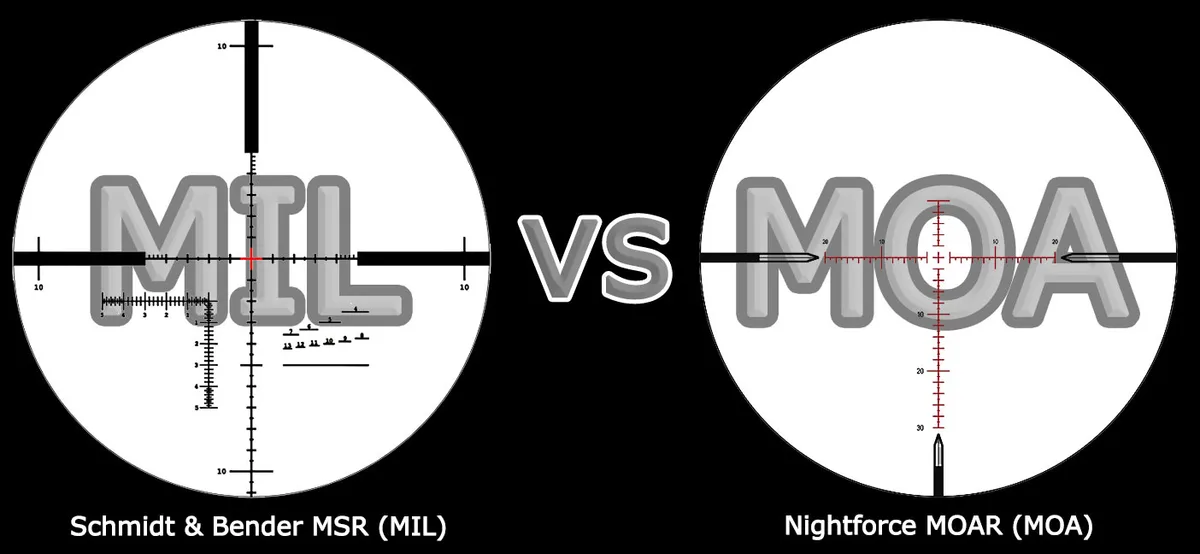
Minute of angle (MOA) is the other major angular unit in shooting. One MOA equals roughly 1.047 inches at 100 yards. Most shooters round it to 1 inch, which works fine for most situations.
The confusion starts when you mix systems. A scope with 0.1 MIL turrets has very different click spacing than a scope with 0.25 MOA turrets. If you're following a range card that says "dial 2.5 MOA" and your scope dials in MIL, you're adjusting the wrong amount.
Your shot will miss high or low by a large margin.
Here's the quick conversion table:
| MIL | MOA |
|---|---|
| 0.1 | 0.34 |
| 0.5 | 1.72 |
| 1.0 | 3.44 |
| 2.0 | 6.88 |
| 5.0 | 17.2 |
1 MIL equals 3.44 MOA. If someone hands you a MOA value and you're working in MIL, multiply by 0.29 to convert. Going the other way, multiply by 3.44.
MIL tends to be more popular in competitive and tactical communities as of 2026. MOA remains common among civilian hunters and older range cards. If your ballistic app can output both, there's no reason to stress.
But if you've got a MIL scope and you're reading a MOA-based resource, do the conversion before you touch the turrets.
Common Mistakes That Lead to Misses and Unsafe Shots
These are the errors we see most often in shooting communities and instructional materials. Every single one can be avoided with a little preparation.
Assuming all MIL reticles use dot spacing. MIL-DASH and MIL-CROSS exist for a reason. They're designed for quick reference at speed. Reading the wrong reticle style means you're not holding where you think you are.
Ignoring the turret click value. Not all MIL scopes click the same. A 0.2 MIL click scope has twice the click value of a 0.1 MIL scope. Dial 10 clicks on both and you get different results.
Mixing MIL range cards with MOA holdovers. This is the most common error by far. If your reticle is MIL and your ballistic app outputs MOA, you're feeding the wrong numbers into your adjustments.
Skipping turret tracking verification. Turrets can drift. Some scopes don't track perfectly. Before you rely on MIL adjustments in the field, dial up 10 MILs, confirm the shift on paper, then dial back to zero and confirm again.
Using FFP holdover data on an SFP optic. If your scope is second focal plane and you're not at maximum magnification, every MIL value you're reading off the reticle is wrong. It's a subtle mistake that causes big misses.
Failing to zero properly in MIL. Zero your scope at a known distance in the same system you'll use in the field. If you're shooting MIL, zero in MIL. Don't switch mid-process.
Safe Practices for Using MIL on a Rifle Scope
Safe shooting starts with proper preparation. Here's how to use MIL correctly and consistently.
Zero Your Scope in the System You'll Shoot
Set your zero at 100 yards or 100 meters using MIL adjustments only. Confirm the point of impact matches your crosshairs at that distance. Then dial out 5 MILs of elevation.
Confirm the group lands 18 inches high at 100 yards, since 3.6 inches × 5 equals 18. Dial back to zero. If your math checks out, your turret is tracking as expected.
Verify Turret Tracking Before Live Fire
Turrets can drift over time, especially on budget optics. Manufacturer specs from Nightforce Optics and similar brands list expected tracking tolerances, but real-world performance varies. Dial up 20 MILs, then back down to zero.
Measure the shift on paper. Repeat a few times. If the turret doesn't return to zero, your MIL data is unreliable until you fix it.
Use a Ballistic Calculator That Outputs MIL
Kestrel ballistic meters and Applied Ballistics apps both output elevation and windage in MIL. Set your app to match your turret click value. If your scope has 0.1 MIL clicks, configure the app for 0.1 MIL.
This eliminates the conversion step entirely.
Build a Consistent Process
Every range session should follow the same order:
- Confirm your zero.
- Range the target.
- Input distance into your ballistic calculator.
- Read the MIL elevation and windage output.
- Dial or hold per your reticle type.
- Confirm the shot lands where expected.
If something's off, check your math before adjusting anything else.
When to Consult a Gunsmith or Instructor
If your turrets don't track properly, your reticle is canted, or your zero won't hold, get professional help. A qualified gunsmith can re-torque rings and verify alignment. An experienced instructor can walk you through MIL math in person, which speeds up learning more than any article.
The National Rifle Association and Civilian Marksmanship Program both offer structured marksmanship courses where MIL-based optics are covered in detail.
Frequently Asked Questions
What does MIL stand for?
MIL stands for milliradian. A milliradian is an angular unit of measurement that tells you how far a scope turret click or reticle subtension moves your point of impact. One milliradian equals roughly 3.6 inches at 100 yards or 10 centimeters at 100 meters.
Is MIL-DOT the same as a MIL reticle?
MIL-DOT is one type of MIL reticle. The term "MIL reticle" is the broader category that includes MIL-DOT, MIL-DASH, and MIL-CROSS designs. All of them measure angles in milliradians.
They just use different visual markers for quick range estimation and holdover reference.
How many clicks is 1 MIL on my scope?
Most modern tactical scopes use 0.1 MIL clicks, so 10 clicks equals 1 full MIL. Some budget models use 0.2 MIL clicks, meaning 5 clicks equals 1 MIL. Always check your turret markings or scope manual for the exact click value before dialing.
Can I switch a scope from MOA to MIL?
You can't switch the internal turret system of a scope. If your scope is MIL-based, you can't dial in MOA values. However, you can convert between the two systems using a conversion factor.
Multiply MOA by 0.29 to get MIL, or multiply MIL by 3.44 to get MOA.
Do I need a ballistic calculator to shoot in MIL?
A ballistic calculator helps significantly, especially beyond 300 yards. It eliminates manual math errors and accounts for wind, altitude, and velocity. For close-range shooting within 200 yards, experienced shooters often hold over using the reticle without a calculator.
Past that distance, a calculator becomes a real asset.