When your elevation turret isn't moving your point of impact the way you expect, you're not doing anything wrong. The question "how do I adjust the elevation on a rifle scope?" trips up nearly every shooter at some point. The reason usually comes down to one overlooked variable.
Manufacturer specifications indicate that most rifle scopes offer 40 to 60 MOA of total elevation adjustment travel. A standard 1/4 MOA click translates to roughly 0.73 inches of point-of-impact movement at 100 yards. Getting your turret dialed in correctly starts with understanding how your specific scope's system works.
Problem: Why Turret Adjustment Goes Wrong
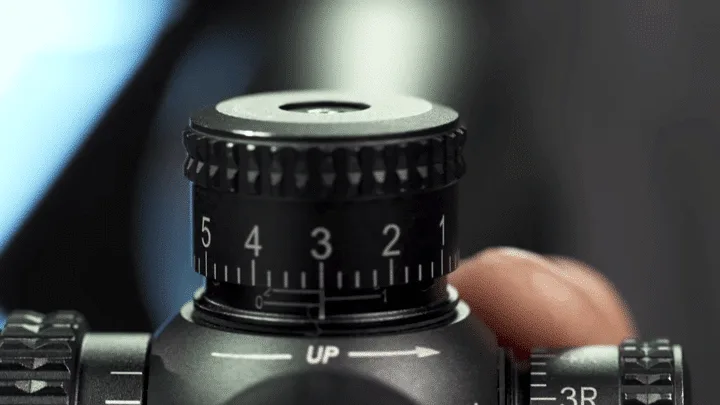
Image source: Web (Bing) / scopesfield.com (Web image (fair-use with source credit))
Most elevation adjustment problems come down to one thing. The turret is moving, but it's not doing what you think it's doing.
Ever turned a turret and watched your point of impact shift the wrong way? That's the most common frustration in scope work. Some manufacturers build counterclockwise rotation as "up" for point of impact.
Others use clockwise. There's no universal standard, and that's exactly why this trips people up.
Other frequent causes include:
- Confusing MOA with MIL clicks. A 1/4 MOA click moves impact about 0.73 inches at 100 yards. A 0.1 MIL click moves it about 1.0 inch. Using the wrong math produces wildly inaccurate corrections.
- Capped turrets left on. Some scopes have protective caps over the adjustment dials. You have to remove them before dialing and replace them after.
- Zero stops blocking upward travel. If your scope has a zero stop set at your current zero, it can prevent the turret from dialing past that point.
- Loose scope rings. Rings not torqued to spec can shift under recoil. It looks like a turret problem when the real issue is mounting hardware.
Aggregate shooter feedback across manufacturer support channels consistently points to these as the top four causes of failed elevation adjustments.
Quick Answer: How Elevation Adjustment Works
To adjust elevation on a rifle scope, turn the elevation turret to move your point of impact. The correct direction depends on your scope's design. A 1/4 MOA click equals about 0.73 inches at 100 yards.
Always fire a confirmation group after dialing. If impact moved wrong, you turned the turret the wrong way.
MOA vs. MIL, Capped vs. Exposed: The Choices That Change Everything
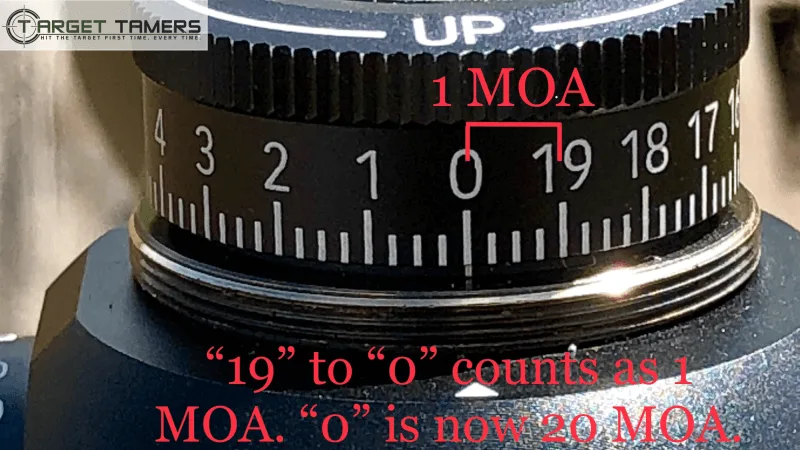
Image source: Web (Bing) / targettamers.com (Web image (fair-use with source credit))
Before you dial a single click, you need to know which system your scope uses. Two measurement standards dominate the market, and each one changes how you calculate corrections.
MOA vs. MIL
| Feature | MOA | MIL / MRAD |
|---|---|---|
| Common click value | 1/4 MOA | 0.1 MIL |
| Movement at 100 yards | ~0.73 inches | ~1.0 inch |
| Typical user | US hunters | Tactical and competition shooters |
| Math style | Inch-based | Decimal-based |
As of 2026, manufacturer specs across brands like Vortex Optics and Leupold confirm both systems are available across their product lines. MOA stays more popular among US hunters because it aligns with inch-based range estimation. Vortex Optics publishes clear turret adjustment guides for both systems, complete with step-by-step conversion examples.
MIL systems are favored in long-range precision circles. The decimal math is cleaner, especially when working with ballistic calculator apps.
Capped vs. Exposed Turrets
Capped turrets shield the adjustment dials from accidental turning. They're standard on hunting scopes and most budget optics. You remove the cap, dial your correction, replace the cap.
Exposed turrets give direct access to the dials. Competition shooters and tactical users prefer them because you can adjust elevation on the fly without fumbling for caps. Vortex Optics offers both configurations across their rifle scope lineup.
If you're a hunter making occasional long-range shots, capped turrets serve you fine. If you're dialing for every shot at a match, exposed turrets save real time.
Step-by-Step: Dialing Your Elevation Turret for a Confirmed Zero
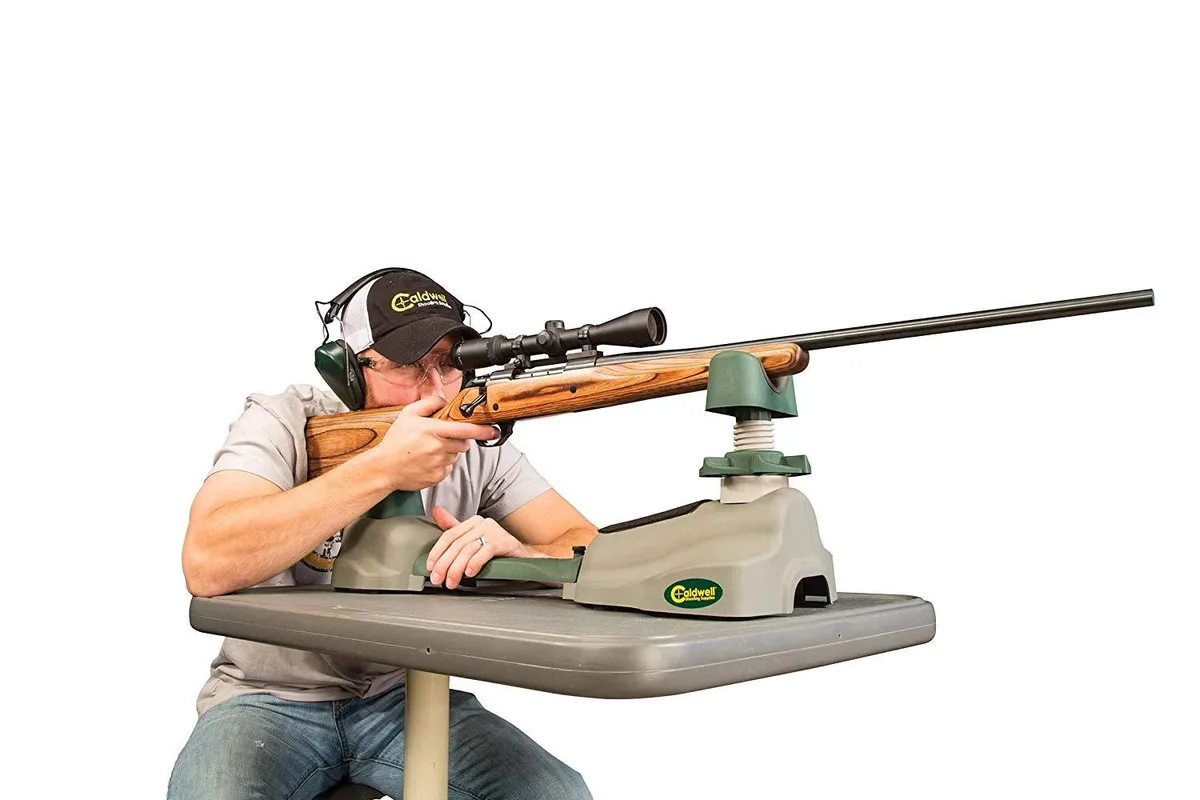
Image source: Web (Bing) / ebay.com (Web image (fair-use with source credit))
Here's the workflow for establishing a reliable elevation zero, from the ground up.
Step 1: Confirm Proper Mounting
Check that scope rings are torqued to the manufacturer's specification. Most standard rings require 15 to 20 in-lbs. Use a torque wrench.
Don't guess.
Step 2: Identify Your Click Value
Look at your scope manual or turret markings. You're searching for either 1/4 MOA or 0.1 MIL. This number drives every calculation ahead of you.
Step 3: Fire a Three-Shot Group at 100 Yards
Set a target at 100 yards. Shoot three rounds at the center of the bullseye. Don't adjust anything yet.
Just observe where the group lands.
Step 4: Measure the Offset
Measure how far the center of your group sits from the point of aim. Work in inches or centimeters depending on your system.
Step 5: Calculate the Number of Clicks
For MOA scopes: divide the offset in inches by 0.73 for 1/4 MOA clicks at 100 yards. The result is your click count.
For MIL scopes: divide the offset in inches by 3.6 to get MIL. Then multiply by 10 to get 0.1 MIL click count.
Step 6: Turn the Turret in the Correct Direction
Check your manual to confirm which direction raises impact. Turn the turret carefully, counting each click. Most scopes move impact "up" with counterclockwise rotation, but verify yours.
Step 7: Fire a Confirmation Group
Shoot another three-shot group at the same distance. If it lands close to your point of aim, your zero is solid.
Step 8: Reset the Zero Stop
If your scope has a zero stop mechanism, reset it at your confirmed zero. This gives you a reliable return-to-zero reference when you're in the field.
Dial vs. Holdover vs. BDC Reticle: Which Method Fits Your Shooting Style
Once your scope is zeroed, you've got three main approaches for engaging targets at varying distances. Each has clear strengths.
Dialing Elevation
Dialing means turning the elevation turret to the correct value for each target distance before firing. It's precise and repeatable. You'll need a ballistic calculator app or a DOPE card (Data On Previous Engagement) to know what value to dial.
Best for: Precision rifle competitors, long-range hunters with time to range the target and make the adjustment.
Holdover
Holdover uses the reticle's built-in hash marks to aim high for distant targets without touching the turret. You pick the correct hash mark for the estimated distance. It's fast and keeps your eye on the target.
Best for: Quick follow-up shots, hunters on moving game, anyone who doesn't want to break target acquisition to dial.
BDC Reticle
A Bullet Drop Compensation reticle has holdover markings pre-calibrated for a specific cartridge and bullet weight. It combines the simplicity of holdover with factory-supplied drop data.
Best for: Shooters who want one optic covering multiple distances without external ballistic apps.
If your shots are all at roughly the same distance, dialing wins on precision. If speed matters, holdover or a BDC reticle gets you on target faster.
Common Elevation Adjustment Mistakes (and How to Fix Them)
Even experienced shooters make these errors. Knowing what they are saves you wasted ammo and frustration.
Turning the Turret the Wrong Way
This is the single most common mistake. Always verify your scope's turret direction convention before dialing. Check the manual or look for directional arrows on the turret housing.
If your point of impact moves down when you wanted it up, you've turned the turret in reverse. Correct it and re-verify.
Using the Wrong Click Math
Mixing MOA and MIL calculations produces results off by a wide margin. If your scope is 1/4 MOA, don't apply 0.1 MIL conversion formulas. That mismatch can throw your correction off by several inches at 200 yards.
Write your click value on a DOPE card and keep it in your range bag.
Ignoring Parallax
Parallax is the apparent shift of the reticle against the target when your eye moves off-center. At close distances it's negligible. At long range it can throw off where you think your turret correction lands.
If your scope has an adjustable parallax dial, set it for your target distance before dialing elevation.
Over-Adjusting Past the Turret Limit
Every scope has a maximum mechanical travel range, typically 40 to 60 MOA total. If you've dialed past what your turret can physically reach, the click stops being meaningful. Reset your zero stop and reestablish a reference point.
Forgetting to Confirm After Dialing
Dialing 8 clicks up doesn't guarantee you've corrected exactly 8 clicks' worth of shift. Always fire a confirmation group after any elevation change. Temperature, humidity, and altitude shift bullet trajectory from what your ballistics chart predicted.
Pro Tips for Reliable Turret Tracking in the Field
Manufacturers build turrets to exacting tolerances, but real-world conditions introduce variables you can manage with the right habits.
Run a Turret Tracking Test
Before relying on your scope for a hunt or match, test how accurately it tracks. Dial 10 MOA up. Fire a group.
Return to zero. Fire another group. The two zero groups should land in the same spot.
If they don't, your turret tracking is off and the scope may need professional service.
Mark Your Reference Position
Use a paint pen or a small piece of tape to mark the turret's position at your confirmed zero. When you're in a hurry in the field, this visual reference tells you instantly where you are without counting clicks from scratch.
Build a Real DOPE Card
A DOPE card lists the click values for specific distances based on your actual rifle and ammunition. Record groups at 100, 200, 300, 400, and 500 yards. Note the clicks needed to hit center at each distance.
Keep the card in a sleeve on your scope or rifle stock.
Account for Atmospheric Conditions
Temperature, altitude, and humidity all shift bullet drop. At 400 yards, a temperature swing from 50°F to 90°F can shift point of impact by 2 to 4 inches. That depends on your cartridge.
Ballistic calculator apps like Applied Ballistics or Hornady 4DOF adjust for these factors automatically.
Keep Turrets Clean
Dirt and moisture in turret threads degrade click feel and accuracy over time. Wipe turrets down after range sessions. If you're shooting in dusty or muddy conditions, check the turret before every dial adjustment.
Decision Guide: Which Elevation Adjustment Workflow Is Right for You
| Your Situation | Recommended Approach | Why It Fits |
|---|---|---|
| Fixed-distance hunting (under 200 yards) | Zero and hold | Fast, no turret adjustment needed mid-hunt |
| Variable-distance hunting with time to range | Dial elevation + DOPE card | Precise, repeatable corrections for each distance |
| Precision rifle competition | Dial + ballistic app | Maximum accuracy, data-driven corrections |
| Fast-paced tactical scenarios | BDC reticle or holdover | Speed over precision when seconds matter |
| Rimfire / small-game shooting | Holdover with hash marks | Minimal compensation needed, fast follow-ups |
| Long-range steel targets at known distances | Dial elevation per distance | Ballistic apps give exact click values |
Most shooters benefit from learning all three methods. Dialing gives you precision. Holdover gives you speed.
A BDC reticle gives you simplicity.
If you're just getting started, zero your scope at 100 yards, build a basic DOPE card, and practice dialing corrections at increasing distances. Once that feels natural, layer in holdover techniques for faster follow-up shots.
Frequently Asked Questions
Which direction should I turn the elevation turret?
The correct direction depends on your specific scope. Most rifle scopes use counterclockwise rotation to raise point of impact and clockwise to lower it, but some manufacturers do the opposite. Always check your scope manual or look for directional arrows on the turret housing before dialing.
What's the difference between MOA and MIL click values?
A 1/4 MOA click moves point of impact about 0.73 inches at 100 yards. A 0.1 MIL click moves it about 1.0 inch. MOA is inch-based and popular among US hunters.
MIL is decimal-based and favored in precision shooting circles. Choose one system and stick with it for your calculations.
How do I reset a zero stop on my scope?
Zero stop procedures vary by manufacturer. Typically, you zero the scope at your chosen distance, then unlock the zero stop mechanism, rotate the turret to your zero mark, and lock it back in place. Check your scope's manual for model-specific instructions.
Some scopes use push-button resets instead.
Why doesn't my turret correction match my calculation?
Several factors cause this mismatch. Turret tracking may be inaccurate. Scope rings could be loose.
Atmospheric conditions may have shifted your drop from chart predictions. Parallax error at longer distances can also skew results. Run a turret tracking test and fire a confirmation group to isolate the issue.
Can I dial elevation with a capped turret?
Yes, but it takes an extra step. You need to remove the turret cap before dialing and replace it afterward. Capped turrets protect against accidental adjustments in the field, but they slow down deliberate changes.
If you're frequently adjusting elevation, exposed turrets may be a better fit for your shooting style.