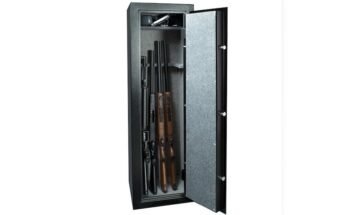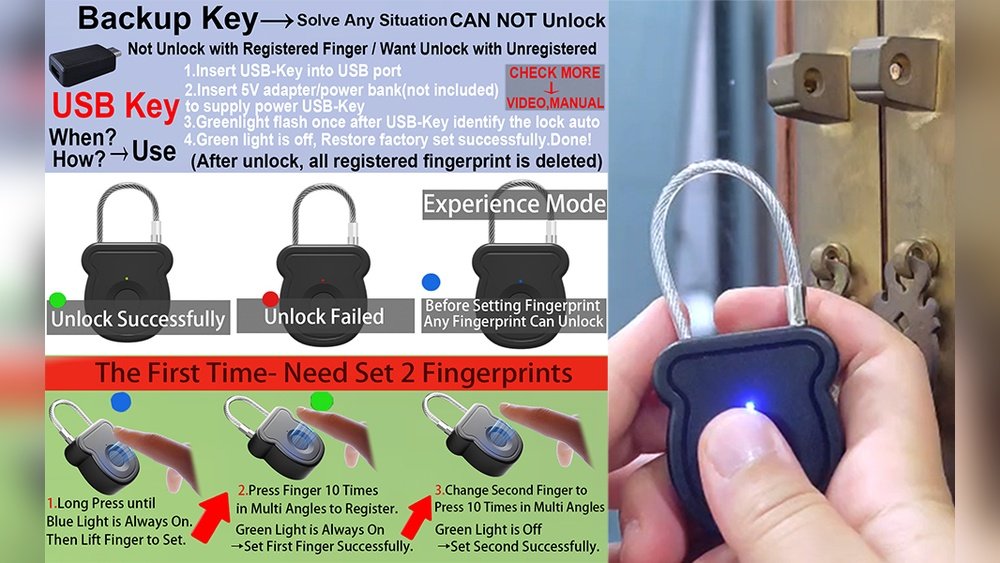
Imagine you’re rushing to unlock your door or phone, and suddenly, the biometric lock doesn’t respond. Your fingerprint won’t scan, or your face isn’t recognized.
What do you do next? This moment can feel frustrating and even alarming, especially if you rely on biometric locks to keep your valuables safe. But don’t panic—there are smart, simple solutions to handle this situation without stress. Keep reading to discover exactly what steps you should take if your biometric lock fails and how to stay prepared for it.
Your security and peace of mind depend on it.
Why Biometric Locks Can Fail
Biometric locks offer strong security but they are not perfect. Sometimes, these locks fail to recognize users or stop working. Understanding why biometric locks can fail helps users prepare for these issues. Knowing the causes also helps in choosing better security solutions.
Common Technical Issues
Biometric locks rely on complex technology. Sensors may wear out or get damaged. Software bugs can cause recognition errors. Power failures can make the lock unresponsive. These issues stop the lock from working properly. Regular maintenance can reduce technical problems.
Environmental Factors
Weather and surroundings affect biometric locks. Dirt, dust, or moisture on sensors cause errors. Extreme cold or heat can affect sensor accuracy. Bright light or shadows may confuse the system. Keeping the lock clean and protected helps avoid failure.
User Errors
Users can cause lock failure too. Dirty or wet fingers may not read well. Injuries or changes in fingerprints confuse the sensor. Incorrect placement of fingers slows recognition. Training users on proper use improves lock success.
Risks Of Relying Solely On Biometrics
Relying only on biometric locks has some clear risks. These locks use unique physical traits like fingerprints or facial recognition. They seem secure but can fail or cause problems. Understanding these risks helps prepare for possible issues and avoid being locked out or exposed to threats.
Security Concerns
Biometric data can be stolen or copied. Hackers may trick sensors with fake fingerprints or photos. Once stolen, biometric traits cannot change like passwords. This creates long-term security risks. Some systems store data online, which increases hacking dangers. A single breach could expose many users.
Access Denial Scenarios
Biometric locks can fail due to injury or dirt. Cuts or scars on fingers might stop recognition. Wet or dirty sensors may not read properly. Power outages or technical errors can block access. People with changing physical traits may face trouble. Backup methods are essential to avoid lockouts.
Physical Backup Options
Biometric locks offer great security but can fail due to battery issues or sensor problems. Physical backup options provide a reliable way to access your property. These backups are simple, easy to use, and do not depend on electronics. They ensure you can get inside even when technology fails.
Mechanical Keys
Mechanical keys serve as a classic backup for biometric locks. They work without batteries or internet. You keep the key safe and use it when needed. Most biometric locks include a hidden keyhole for this purpose. The key fits easily and opens the lock quickly. This option is simple and trusted by many users.
Hidden Key Compartments
Hidden key compartments keep your mechanical key safe nearby. They are small boxes placed outside your home or office. Only you know their location. These compartments protect your key from theft and weather. They allow quick access in emergencies. Using a hidden compartment adds a layer of convenience and security.

Digital Backup Methods
Biometric locks offer great security and ease. Yet, technology can fail. Digital backup methods provide a safety net. These methods help you access your lock without biometrics. They keep your security strong and reliable.
Pin Codes And Passwords
PIN codes and passwords are common backup options. You type a code to unlock the door. Choose a code that is easy to remember but hard to guess. Avoid simple sequences like “1234” or “0000.” Change your PIN regularly to keep it secure. This method works without internet or extra devices. It is quick and simple.
Mobile App Overrides
Many biometric locks connect to mobile apps. These apps let you control the lock remotely. You can open the door using your phone. Mobile app overrides are helpful if biometrics fail. Ensure your phone has a strong password. Keep the app updated for better security. This method adds convenience and control.
Emergency Access Techniques
Biometric locks offer great security but can sometimes fail. In those moments, emergency access techniques become important. These methods help you regain entry without stress or damage. Knowing these options gives peace of mind and practical solutions.
Remote Unlocking Services
Remote unlocking services allow access through a trusted provider. You contact the service by phone or app. They verify your identity and send a signal to open the lock. This method works well for smart biometric locks with internet connection. It avoids damage and saves time during lock failure.
Authorized User Access
Many biometric locks allow multiple authorized users. These users have backup access options like PIN codes or physical keys. Authorized users can open the lock if the biometric system fails. This backup ensures you are never locked out unexpectedly. Always register trusted people as authorized users in advance.
Maintenance Tips To Prevent Failures
Biometric locks are smart and secure. They make life easier by using your fingerprint or face to open doors. But these locks can fail if not cared for properly. Regular maintenance helps keep them working well. Small steps can stop big problems later.
Regular Cleaning
Dust, dirt, and oil can block sensors. Clean the biometric scanner often with a soft, dry cloth. Avoid using water or harsh chemicals. Clean your fingers before use to prevent smudges. This keeps the scanner clear and accurate.
Software Updates
Manufacturers release updates to fix bugs and improve security. Check for software updates regularly. Install updates as soon as they are available. Updated software helps your lock work smoothly and safely. It also adds new features and fixes errors.
Choosing The Right Backup Strategy
Choosing the right backup strategy for a biometric lock is essential. Biometric systems can fail due to power loss, sensor issues, or software glitches. A good backup plan keeps your property safe and lets you enter without stress. It should match your security level and daily needs. Picking the best option helps avoid lockouts and keeps your security strong.
Assessing Security Needs
Start by thinking about what you are protecting. High-value items or sensitive places need strong backups. Simple backup codes or physical keys may not be enough. Consider risks like theft or unauthorized access. Choose backups that add layers of security. Always keep backup methods private and secure. Check if multiple people need access and plan accordingly.
Balancing Convenience And Safety
Backup methods should be easy to use but safe. Physical keys are simple but can be lost or copied. Backup PINs or passwords are quick but can be forgotten or guessed. Some systems offer secondary biometric options or smartphone access. Pick a method that fits your lifestyle and comfort. Avoid complex solutions that cause frustration. The goal is smooth access with no security gaps.
Frequently Asked Questions
What Happens If A Biometric Lock Fails To Recognize You?
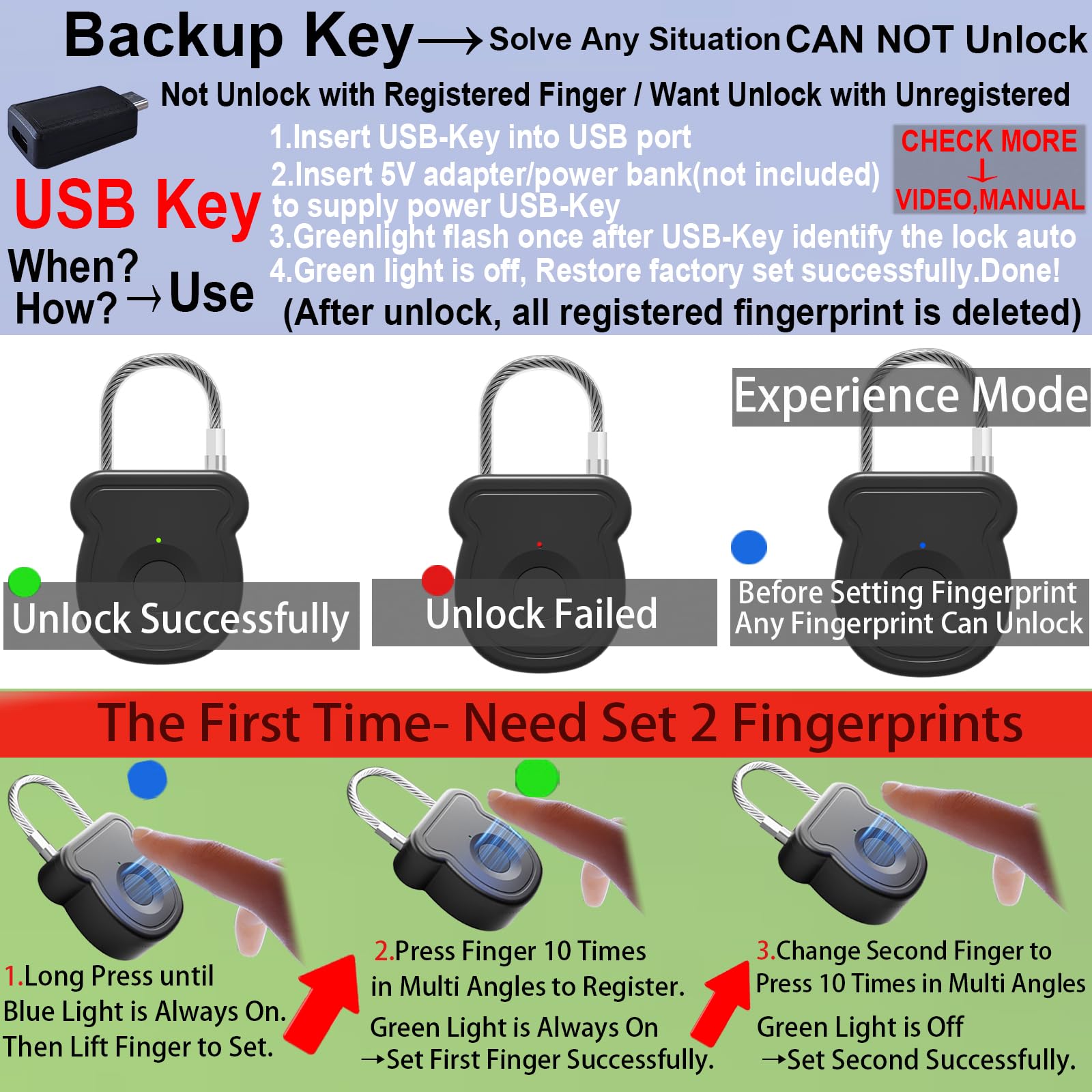
If a biometric lock fails, it typically allows alternative access methods. These include PIN codes, backup keys, or mobile app overrides. Always set up these secondary options to ensure you can unlock your device or door without hassle.
How Can I Troubleshoot Biometric Lock Errors?
Troubleshoot by cleaning the sensor and ensuring your finger is dry. Restart the device and update its firmware. If problems persist, contact customer support or use backup access methods to avoid lockouts.
Are Biometric Locks Reliable For Home Security?
Biometric locks are generally reliable and provide enhanced security. However, they can fail due to sensor dirt or hardware issues. Combining biometrics with backup access ensures continuous security and convenience for your home.
Can Biometric Locks Be Bypassed If They Fail?
While biometric locks are secure, some can be bypassed using backup keys or codes. Always protect these alternatives and regularly update your lock’s software to reduce vulnerabilities.
Conclusion
Biometric locks offer great convenience and security daily. Still, no system is perfect or without flaws. Always have a backup plan ready for emergencies. Use PIN codes or physical keys as alternatives. Regularly check and maintain your lock for best performance.
This helps avoid unexpected lock failures. Knowing your options reduces stress and keeps you safe. Stay prepared and confident with your security choices. Biometric locks are helpful, but smart users stay cautious.