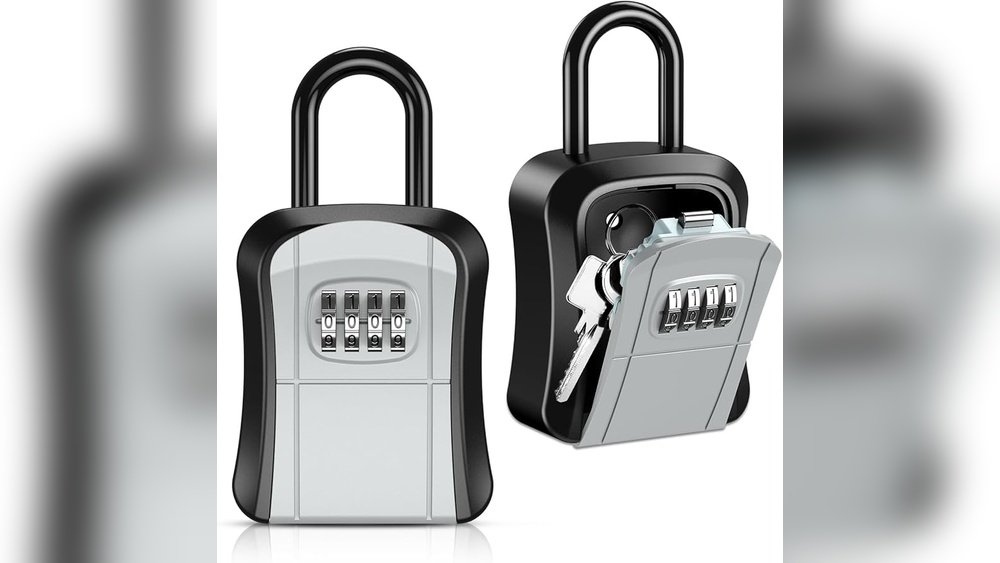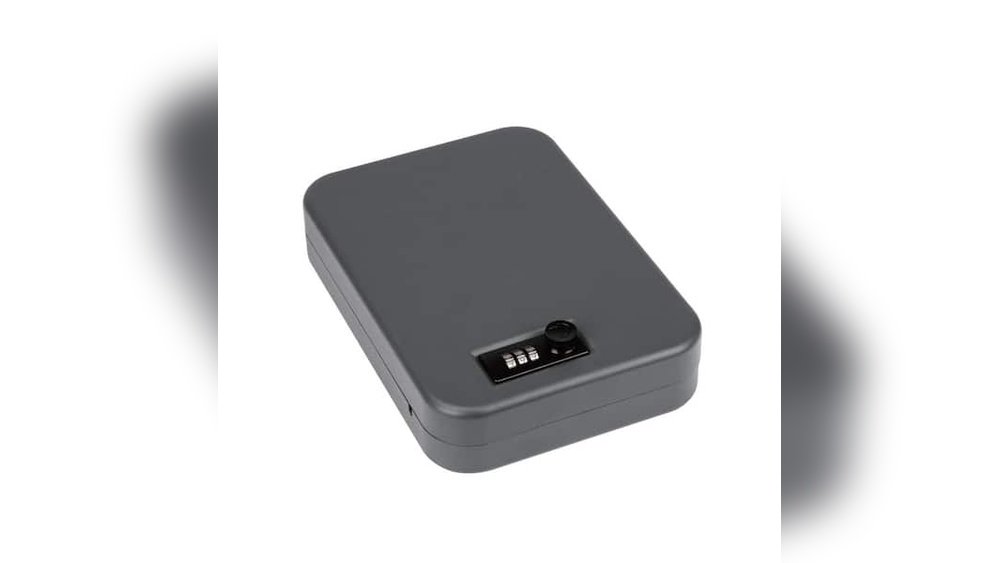
Are you wondering if a portable lock box can work for more than one person? Whether you need to share keys, important documents, or valuables with family, friends, or coworkers, finding a secure and convenient solution is key.
You want something that keeps your items safe but also allows easy access for multiple users when needed. You’ll discover how portable lock boxes can meet those needs, what options are available, and tips to make sure everyone stays secure.
Keep reading to find out how to protect what matters most—without the hassle.
Benefits Of Portable Lock Boxes
Portable lock boxes offer many advantages for users who need secure storage on the move. They provide a safe place for keys, important documents, or small valuables. These boxes are easy to carry and use in different places. They suit homes, offices, and travel needs.
Using a portable lock box means better control over who can access your items. They help keep your belongings safe without heavy or complicated setups. Their design and features make them reliable and practical for various users.
Enhanced Security On The Go
Portable lock boxes protect your items wherever you are. They have strong locks that prevent unauthorized access. Some models use combination codes, while others have key locks. These options add layers of security for peace of mind. Carrying a lock box means your valuables stay protected outside your home.
Convenience For Various Settings
These lock boxes work well in many places. Use them at work to secure keys or cards. Take them on trips to keep important papers safe. They are easy to open and close, saving time. Multiple users can share access without hassle. Their small size fits easily in bags or drawers.
Durability And Design Features
Portable lock boxes are built to last. They often use metal or strong plastic materials. Their sturdy build resists damage from drops or weather. Many have weatherproof seals to protect inside contents. Compact designs make them simple to carry. Some have mounting options for added security.
Challenges With Multiple Users
Using a portable lock box for many users can be tricky. It may cause problems that affect security and ease of use. Understanding these challenges helps you decide if a single lock box suits your group.
Sharing access among several people needs careful planning. Otherwise, confusion and risks can increase. Below are the main issues that arise with multiple users.
Access Control Issues
Controlling who opens the box is hard with many users. Each person needs the right code or key. Sharing codes can lead to unauthorized access. Tracking who accessed the box is almost impossible.
Without strict control, anyone might open the box anytime. This reduces the safety of stored items. Access control problems often cause trust concerns among users.
Key Management Complications
Managing keys or codes for many users is complex. You must distribute keys securely to avoid loss or theft. If a key is lost, everyone’s access may need change. Updating codes for all users takes time and effort.
Mix-ups with keys can delay access. It also increases the chance of mistakes. Proper key management is essential but hard with multiple users.
Potential Security Risks
More users mean more chances for security breaches. Sharing access increases the risk of codes being leaked. Users might forget to lock the box properly. This leaves the contents vulnerable to theft or damage.
Without strict rules, bad habits can form. This weakens the box’s security over time. The more users, the higher the chance of security failure.
Smart Lock Box Features For Shared Use
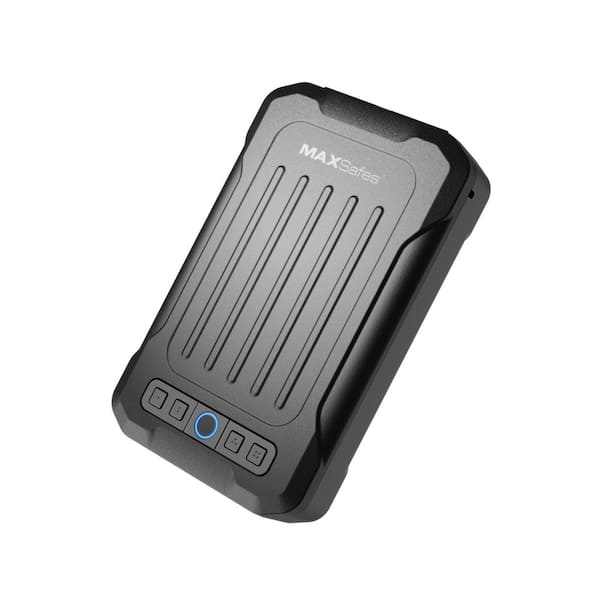
Smart lock boxes have features designed for multiple users. These features help share access safely and easily. They offer control and security for families, teams, or groups. Each user can have their own way to open the box. This keeps things organized and secure.
Smart lock boxes reduce worries about lost keys or forgotten codes. They also let owners manage who can open the box and when. This makes shared use simple and flexible.
Digital Access Codes
Digital access codes let users enter a secret number to open the box. Owners can create many codes for different people. Codes can be changed or deleted at any time. This prevents old users from accessing the box.
Temporary codes can be made for short-term access. This is good for guests or workers. It avoids giving permanent access to the lock box.
Biometric Authentication
Biometric systems use fingerprints or face scans to open the box. Each user’s unique features act as a key. This stops others from guessing codes or stealing keys.
Biometric locks are fast and easy to use. They offer a high level of security for shared use. Users do not need to remember codes or carry keys.
Remote Access And Monitoring
Remote access allows owners to open the lock box from anywhere. This helps when users are not nearby. Owners can give or remove access instantly using an app.
Monitoring features track who opens the box and when. This keeps a record of all activity. It gives peace of mind and helps spot any problems quickly.
Best Practices For Multiple User Access
Managing access to a portable lock box for multiple users requires clear rules. Best practices help keep the box secure and easy to use. They also prevent confusion and mistakes when many people need access.
Setting up strong procedures ensures everyone knows their role. It helps track who accessed the box and when. This makes the system safer for all users.
Assigning Unique Access Credentials
Each user should have their own access code or key. Sharing codes can cause security risks. Unique credentials help identify who opens the lock box. This way, users only access what they need. It also stops unauthorized entry.
Regularly Updating Access Permissions
Change access rights often to keep control tight. Remove users who no longer need access quickly. Update codes or keys regularly to avoid leaks. This practice limits risks from lost or stolen credentials. It keeps the lock box safer over time.
Audit Trails And Usage Logs
Use logs to record all access events. Track who opened the box and when. This information helps spot unusual activity fast. Audit trails also show if someone misuses access. They support accountability among multiple users.
Top Portable Lock Boxes For Groups
Portable lock boxes for groups help share access safely. They allow multiple users to keep keys or small items secure. Choosing the right type depends on your group’s needs. Some models offer smart features, while others use simple codes.
Smart Lock Boxes With App Integration
Smart lock boxes connect to smartphones via apps. Users get access through digital keys or temporary codes. Admins can add or remove users instantly. This makes sharing easy and flexible for groups. Notifications show who opens the box and when.
Mechanical Lock Boxes With Combination Codes
Mechanical lock boxes use a set of numbers to open. Groups can share the combination with trusted members. No batteries or internet connection are needed. These boxes are simple and reliable for basic use. Changing the code is quick and keeps access secure.
Hybrid Models With Backup Options
Hybrid lock boxes combine digital and mechanical features. They often have app access plus a physical code option. This ensures access even if the battery dies. Groups benefit from both convenience and security. Backup methods prevent lockouts in critical moments.

Tips To Maximize Security
Using a portable lock box for multiple users requires careful steps to keep your items safe. Simple actions can improve security and reduce risks. Follow these tips to protect your lock box and its contents.
Choosing The Right Location
Place the lock box in a hidden spot. Avoid obvious places like near doors or windows. Choose a location that only authorized users know. Keep it away from public areas and busy spaces. This lowers the chance of theft or tampering.
Using Additional Security Measures
Use extra locks or cables to secure the box. Attach it to a heavy or fixed object. Consider alarms or motion sensors for added protection. Check the lock box regularly for signs of damage. These steps make breaking in much harder.
Educating Users On Safe Practices
Teach all users how to use the lock box correctly. Share tips on keeping codes and keys private. Remind them not to share access with unknown people. Encourage reporting any suspicious activity quickly. Knowledge helps keep the lock box secure for everyone.

Frequently Asked Questions
Can Multiple Users Share One Portable Lock Box?
Yes, many portable lock boxes support multiple users by offering combination codes or key sharing. This allows safe, convenient access for authorized individuals.
How Do Users Access A Shared Portable Lock Box?
Users access shared lock boxes using a preset combination, digital code, or shared key. Some models provide app-based access for added control.
Is A Portable Lock Box Secure For Multiple Users?
Portable lock boxes remain secure with multiple users if access codes or keys are managed properly. Choose models with robust locking mechanisms.
Can Access Codes Be Changed For Different Users?
Yes, most portable lock boxes allow you to reset or change access codes. This ensures only authorized users can open the box.
Conclusion
A portable lock box can work well for multiple users. Choose one with shared access features. Each user can have their own code or key. This keeps your items safe and easy to reach. Remember to update codes regularly for security.
Portable lock boxes offer simple, flexible protection. They fit different needs and situations. So, they make good choices for families or teams. Make sure to pick the right size and type. This helps everyone use it without trouble. Portable lock boxes bring peace of mind for many users.