Have you ever wondered if you can open your smart home safe without WiFi? Imagine needing quick access to your valuables, but your internet goes down.
That moment of panic is real, and knowing the answer can save you from frustration and stress. You’ll discover how smart home safes work without WiFi and what options you have when the connection fails. Keep reading to make sure your valuables are always within reach, no matter what happens to your internet.
Smart Home Safes Basics
Smart home safes bring new technology to home security. They combine traditional protection with digital features. These safes offer more control and convenience than regular safes. Understanding how they work helps answer if they need WiFi to open.
Smart safes connect to devices and networks to give users easy access. They have features that go beyond just locking and unlocking. Knowing the basics helps you choose the right safe for your needs.
What Makes A Safe Smart
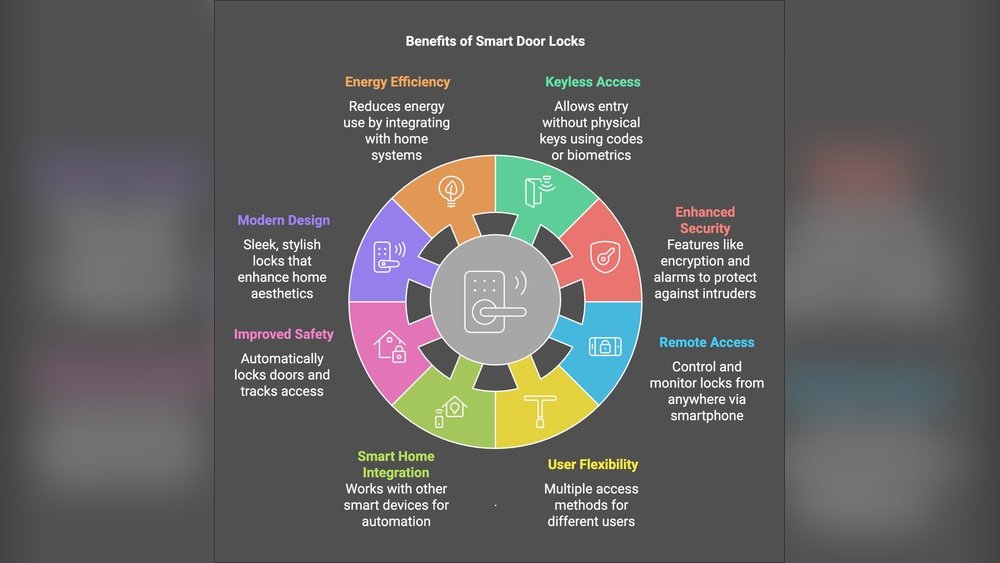
A smart safe has electronic parts that allow remote control. It uses a keypad, fingerprint sensor, or app for access. These safes store access codes digitally. Some models send alerts if someone tries to open them.
They often include backup options like physical keys or PIN codes. This helps if digital systems fail. The smart features improve safety but keep user control simple.
Common Connectivity Features
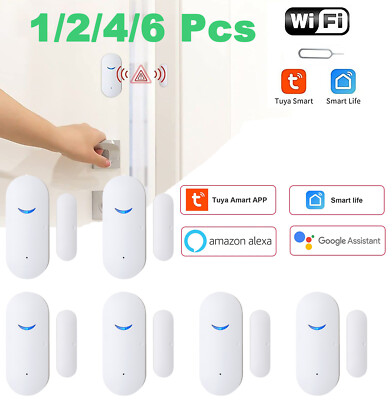
Most smart safes connect through WiFi or Bluetooth. WiFi allows control from anywhere using a smartphone. Bluetooth works nearby without internet access. Some safes use both for better options.
Other features include auto-lock timers and remote notifications. These features help monitor the safe’s status. Connectivity adds convenience but also depends on power and signal.
Wifi Role In Smart Safes
Smart home safes use WiFi to connect with your devices and the internet. This connection helps manage and control the safe remotely. It allows real-time alerts and updates about your safe’s status. WiFi also enables features like remote locking and unlocking, making access easier.
Without WiFi, many of these smart features do not work. The safe still functions, but its smart abilities become limited. Understanding how WiFi controls access and what happens without internet helps users choose the right safe.
How Wifi Controls Access
WiFi links the smart safe to your smartphone or home network. You can open or lock the safe from anywhere. The safe checks your credentials through the internet. This process adds an extra layer of security. It sends alerts if someone tries to open it without permission. WiFi also allows you to share temporary access with others.
Limitations Without Internet
Without WiFi, the safe cannot connect to your devices remotely. Remote control and alerts stop working. You must use physical methods like a keypad or biometric scanner. Some safes have backup keys for emergencies. The safe still protects your items but loses smart features. Access becomes local only, with no online monitoring.
Opening Without Wifi
Smart home safes often rely on WiFi to connect and operate remotely. This connection allows users to control the safe from anywhere. What happens if the WiFi is down or unavailable? Can you still open the safe? Yes, many smart safes have alternative ways to grant access without WiFi.
These methods keep your valuables secure while giving you peace of mind. Knowing how to use these options is important for every smart safe owner.
Offline Access Methods
Many smart safes include offline access features. These do not need an internet connection to work. You can enter a code directly on the keypad. Some models use local fingerprint recognition. These methods rely on internal memory and hardware to operate safely.
Offline access ensures you can open your safe during power outages or network issues. It keeps your belongings accessible without compromising security.
Backup Key And Codes
Almost all smart safes come with a physical backup key. This key allows manual opening in emergencies. Keep the key in a secure but reachable place. Backup codes also serve as a safety net. These codes work like a password and can be entered on the safe’s keypad. They provide an extra layer of protection and access without WiFi.
Bluetooth And Alternative Connections
Some smart safes use Bluetooth instead of WiFi. Bluetooth works over short distances and does not need internet. You can open the safe using a smartphone app nearby. Other safes may offer NFC or RFID options. These use close-range signals to unlock the safe. These alternative connections provide flexible ways to open your safe without relying on WiFi.

Security Risks And Concerns
Smart home safes offer convenience but also bring security questions. The main concern is how safe these devices remain without WiFi. Understanding the risks helps users protect their valuables better.
Potential Vulnerabilities
Smart safes rely on technology that can have weak points. Without WiFi, some safes switch to backup modes. These modes may use simpler codes or keys that are easier to guess. Physical locks on smart safes might be less secure than traditional safes. Older software or firmware updates can leave safes open to attacks. Lack of encryption in communication can expose codes or access methods.
Hacking And Bypass Techniques
Hackers use tools to break into smart safes without WiFi. They may exploit Bluetooth or other wireless signals. Some safes have default codes that remain unchanged. Attackers try to guess these codes using trial and error. Physical bypass methods include lock picking or damaging sensors. Malware or hacking tools can override digital locks. Testing shows many smart safes have weak defenses against these methods.
Choosing The Right Smart Safe
Smart safes offer a mix of technology and security for your valuables. Picking the right one means understanding your needs and the safe’s capabilities. Not all smart safes work the same way, especially without WiFi. Some models allow access offline, while others rely on a constant internet connection. Knowing these details helps avoid frustration during important moments.
Consider how often you need to access the safe and where you will keep it. Think about backup options in case the main system fails. The right smart safe fits your lifestyle and keeps your things secure no matter the situation.
Features To Consider
Look for safes with multiple access methods like keypad, fingerprint, or backup keys. Offline access is crucial if WiFi is unreliable. Battery life matters; long-lasting batteries prevent lockouts. Check if the safe sends alerts through mobile apps or only works locally. Size and weight also affect where you place the safe and how easy it is to move.
Balancing Convenience And Security
Convenience should not reduce your safe’s security. A safe that opens only with WiFi might be useless during outages. Choose models that keep security strong even offline. Think about how fast and simple it is to open the safe in emergencies. A balance of easy use and tough protection keeps your items both safe and accessible.
Future Of Smart Safe Technology
The future of smart safe technology looks promising and more secure. Designers aim to improve safety without relying only on WiFi. This means safes will work well even without an internet connection.
More users want smart safes that protect valuables anytime and anywhere. This drives new ideas in technology and security methods. The goal is simple: keep your important items safe, online or offline.
Advancements Beyond Wifi
New smart safes will use multiple ways to connect, not just WiFi. Bluetooth and NFC are becoming popular options. These methods allow safes to open without internet access. Some safes will use built-in biometric scanners for quick access. This helps users open safes even in places with poor WiFi.
Also, smart safes may include backup physical keys or special passcodes. These options provide access if wireless methods fail. Such advancements make smart safes more reliable and user-friendly.
Enhanced Offline Security Options
Offline security is gaining attention in smart safe development. Safes will have better encryption to protect data stored inside. They may use local fingerprint recognition without sending info to the cloud. This keeps your security private and safe from hackers.
Some safes will include time locks or multiple authentication steps for extra protection. These features work without internet, reducing risks of remote hacking. Offline modes give users peace of mind about their safety.

Frequently Asked Questions
Can A Smart Home Safe Work Without Wifi?
Yes, many smart home safes have offline access methods. You can use a keypad or biometric scanner to open them without WiFi.
How Do You Open A Smart Safe Without Internet?
Most smart safes offer alternative entry options like manual codes or biometric scans. These do not require internet or WiFi connectivity.
Is Wifi Necessary For Smart Safe Security?
WiFi is not always necessary for security. Offline features ensure you can access the safe even if WiFi is down or unavailable.
Can Smart Safes Connect To Smartphones Without Wifi?
Yes, some smart safes use Bluetooth to connect to your phone. Bluetooth works without WiFi, allowing local control and access.
Conclusion
A smart home safe often needs WiFi to work properly. Some models allow access without WiFi using backup methods. These may include keypad codes or physical keys. Always check your safe’s features before buying. Knowing how to open it without WiFi is important.
It helps avoid getting locked out during internet problems. Choose a safe that fits your needs and comfort. Stay prepared for any situation with the right knowledge.