Imagine this: you need to access your smart home safe urgently, but suddenly, the power goes out. What happens next?
Will you be locked out of your valuables when you need them most? If you’ve ever wondered how a smart safe handles power loss, you’re not alone. Understanding what happens to your smart home safe during a power failure can save you from frustration and worry.
Keep reading to discover exactly how your safe responds and what steps you can take to stay prepared and secure.
Smart Home Safe Basics
Smart home safes offer security and convenience for protecting valuables. They combine traditional safe features with modern technology. Understanding their basics helps users manage them better.
Knowing the key features and power needs clarifies what happens during power loss. This knowledge ensures you stay prepared and keep your belongings safe.
Key Features
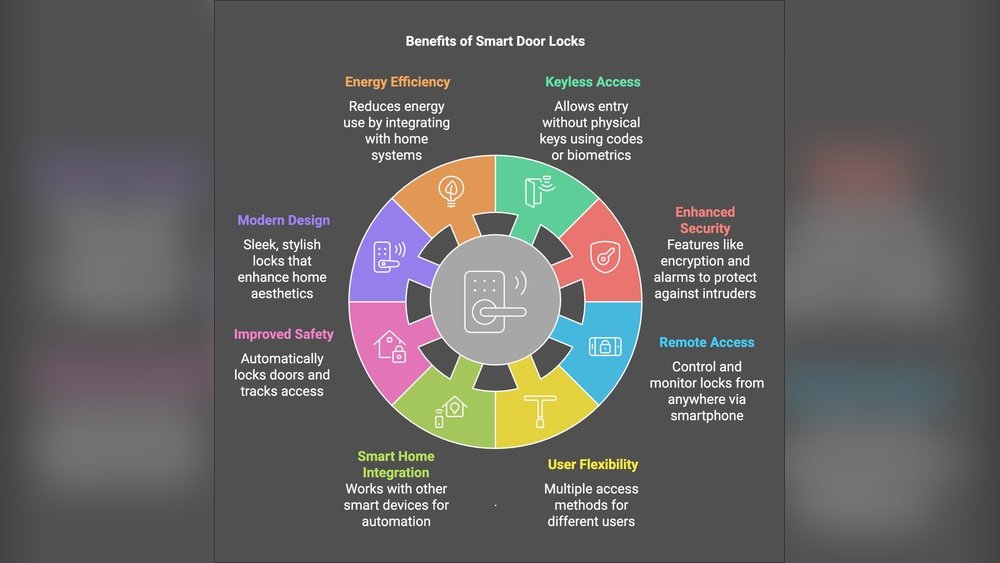
Smart home safes often have electronic locks that use codes or biometrics. Many allow remote access through a smartphone app. Alerts notify you of any tampering or unauthorized access. Some models include backup keys or override codes for emergencies. They usually provide real-time status updates. These features improve security and ease of use.
Power Requirements
Most smart safes need constant power to operate their electronic systems. They run on batteries or connect to home electricity. Battery-powered safes use standard or rechargeable batteries. Some safes have low-battery warnings to prevent lockouts. During a power outage, battery backup keeps the safe functional. Others might have manual override options for opening the safe.

Power Loss Scenarios
Power loss can affect your smart home safe in different ways. Understanding these scenarios helps you stay prepared. Some power issues last only a short time. Others can last much longer. Each situation has its own impact on your safe’s operation.
Temporary Outages
Short power outages happen often. Usually, they last only a few minutes. During this time, your smart home safe might switch to backup power. Many safes use batteries to keep working. You can still access your safe normally. The safe will return to normal once power comes back.
Extended Power Failures
Long power failures can last hours or days. Battery backup may run out during these times. Your safe might stop working fully. Access could become difficult without power. Some safes have manual keys as a backup option. It is important to know your safe’s backup plan. This helps avoid being locked out during long outages.
Backup Power Options
Smart home safes need power to work. Losing power can stop their functions. Backup power options keep the safe working. These options give peace of mind. They help keep your valuables protected at all times.
Internal Batteries
Many smart safes have built-in batteries. These batteries provide power during outages. They can last from hours to days. Internal batteries switch on automatically. No need to press buttons or reset the safe. Always check battery health for reliable backup.
External Power Sources
Some safes allow connection to external power. External sources include portable power banks or generators. They supply power if the main source fails. These sources extend backup time significantly. You can plug them in easily. Keep external power ready for emergencies.
Access During Power Loss
Smart home safes rely on electricity to work. Losing power may cause worry about access. Knowing how to open your safe during power loss is important. It helps keep your valuables safe and accessible. Below are ways to access your safe when the power goes out.
Manual Override Methods
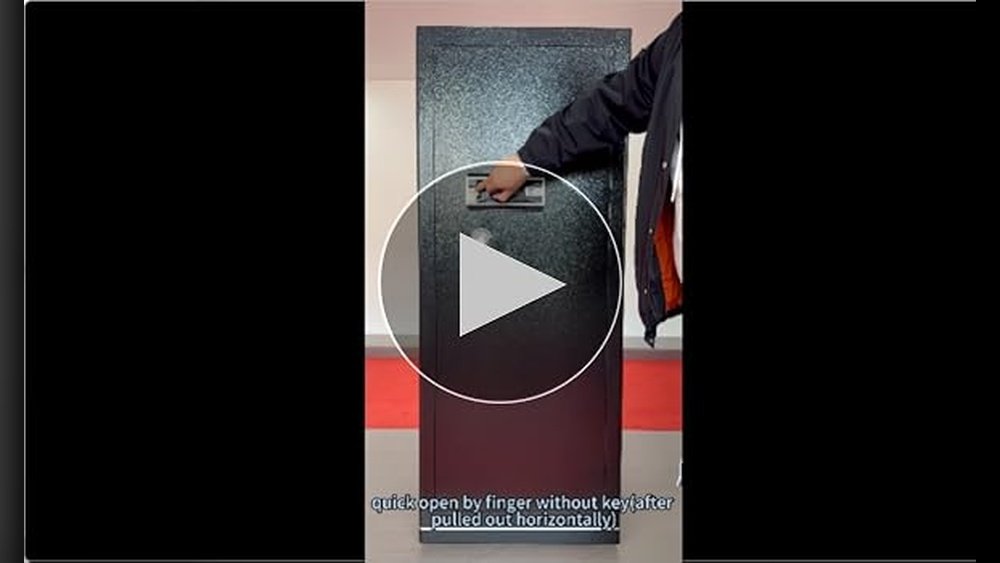
Most smart safes have manual override options. They often include a physical key or combination dial. These allow access without electricity. Some safes come with a backup battery slot. Inserting a charged battery can restore power temporarily. Another method is a hidden mechanical lock. It provides entry in emergencies. Always read the manual to understand these options.
Security Considerations
Manual overrides must not compromise safe security. Physical keys should be kept in secure places. Avoid leaving backup keys near the safe. Mechanical locks must be sturdy and hard to tamper with. Regularly check these features for wear or damage. Good safes balance ease of access and strong protection. Poor security can make your valuables vulnerable. Always prioritize safety when using manual overrides.
Impact On Connectivity
Power loss in a smart home safe affects its connectivity. This can cause several issues with how the safe works with your devices. Understanding these effects helps you prepare better.
Wi-fi And App Access
The safe needs power to stay connected to Wi-Fi. Without power, the safe will disconnect from the network. This means your app cannot communicate with the safe. You will not be able to check the status or control it remotely. The app may show an error or offline status. Your ability to lock or unlock the safe via app stops.
Alerts And Notifications
Smart safes send alerts when there is a problem. Without power, the safe cannot send alerts or notifications. You will not receive warnings about unauthorized access or other issues. This delay can be risky if someone tries to open the safe. The safe’s security features rely on constant power and connection. Without these, alerts and updates will pause until power returns.
Maintenance Tips
Keeping your smart home safe working well requires regular care. Smart safes depend on power to run security features. Without power, these features can fail.
Maintenance helps avoid problems and keeps your safe reliable. Small checks and updates make a big difference. Here are key tips to keep your smart safe ready at all times.
Battery Replacement
Most smart safes use batteries as backup power. Replace these batteries regularly. Old batteries lose power fast. This can stop your safe from working during outages.
Check the battery type and follow the manufacturer’s guide. Use fresh batteries to ensure the safe stays powered. Keep spare batteries nearby for quick swaps.
Regular Testing
Test your smart safe often. Try opening it with the power off. This checks if backup systems work well. Testing helps find issues early before an emergency.
Run tests every few months. Note any problems and fix them right away. Regular checks keep your safe secure and dependable.
Choosing A Reliable Smart Safe
Choosing a reliable smart safe is important for security and convenience. A good safe works well even during power outages. It keeps your valuables protected at all times. Not all smart safes handle power loss the same way. Some have features to keep them working. Others might lock you out until power returns. Understanding key features helps you pick the right one.
Look for safes that offer backup options. These options keep the safe operational during power cuts. Also, user reviews show real experiences. They reveal how safes perform in everyday use. Both features and reviews matter in making your choice.
Power Backup Features
Power backup features are essential for smart safes. Many safes use batteries as a backup power source. These batteries keep the lock and electronics working. Some safes have external battery packs or USB ports. These allow quick power boosts if the internal battery fails. Others use mechanical keys as a last resort. This ensures access even with no power. Check battery life and backup options before buying.
User Reviews And Ratings
User reviews provide honest feedback about smart safes. Buyers share their experiences with power loss and backups. Look for comments on reliability during outages. High ratings often mean the safe performs well. Pay attention to repeated issues or praises. Reviews help you avoid safes with common problems. They guide you toward trusted brands and models.

Frequently Asked Questions
What Happens To Smart Home Safe During Power Outage?
A smart home safe typically switches to battery power during outages. This ensures continuous operation and keeps your valuables secure. Some models have backup power options or manual override keys for emergency access.
Can I Still Access My Safe Without Electricity?
Yes, most smart safes include battery backup or mechanical keys. This allows access even if the main power source fails. Always check your safe’s manual for specific emergency access instructions.
How Long Does Battery Backup Last In Smart Safes?
Battery life varies by model but usually lasts several months. Regular battery checks and replacements ensure your safe remains functional during power loss. Keeping spare batteries handy is a good practice.
Will Power Loss Affect Safe’s Security Features?
No, power loss doesn’t compromise the safe’s security. Locking mechanisms remain engaged, and alarms usually run on backup power. Your valuables remain protected even without external electricity.
Conclusion
Smart home safes often have backup power options. This keeps your belongings secure during outages. Some models use batteries to stay active. Others allow manual override with a key. Always check your safe’s instructions carefully. Testing the backup system regularly helps avoid surprises.
Knowing these facts gives peace of mind. Your valuables remain protected even without electricity. Choose a safe that fits your needs well. Stay prepared for power loss situations ahead. Safety and convenience can go hand in hand.